-
Shop
- Advanced Technologies
- AI Skills Mastery 2026 Collection
- Best Sellers
- Bottoms
- Car Accessories
- Dating & Social Skills
- Digital Products
- Digital Resources
- Dresses
- Education & Learning
- Family & Parenting
- Fashion
- Furniture
- Gadgets
- Health & Beauty
- Health & Wellness
- Home & Garden
- Jewelry
- Kids & Babies
- Patio, Lawn & Garden
- Personal Growth
- Pet Care
- Pet Supplies
- Pets
- Shoes
- Sport & Outdoors
- Swimwear
- Tops
- Travel
- Wealth
- Wealth Building
- Budgeting & Saving
- Cryptocurrency Investing
- Debt Management
- Entrepreneurship & Business Growth
- Family Finance & Budgeting
- Financial Independence
- Financial Mindset & Psychology
- Financial Planning
- Frugal Living & Expense Hacks
- Goal Setting
- High-Income Skills
- Leadership
- Networking & Mentorship
- Passive Income Strategies
- Real Estate Investing
- Side Hustles
- Stock Market Investing
- Workout Clothes & Activewear
Waterproof 17-Inch Laptop Backpack for Travel & Work
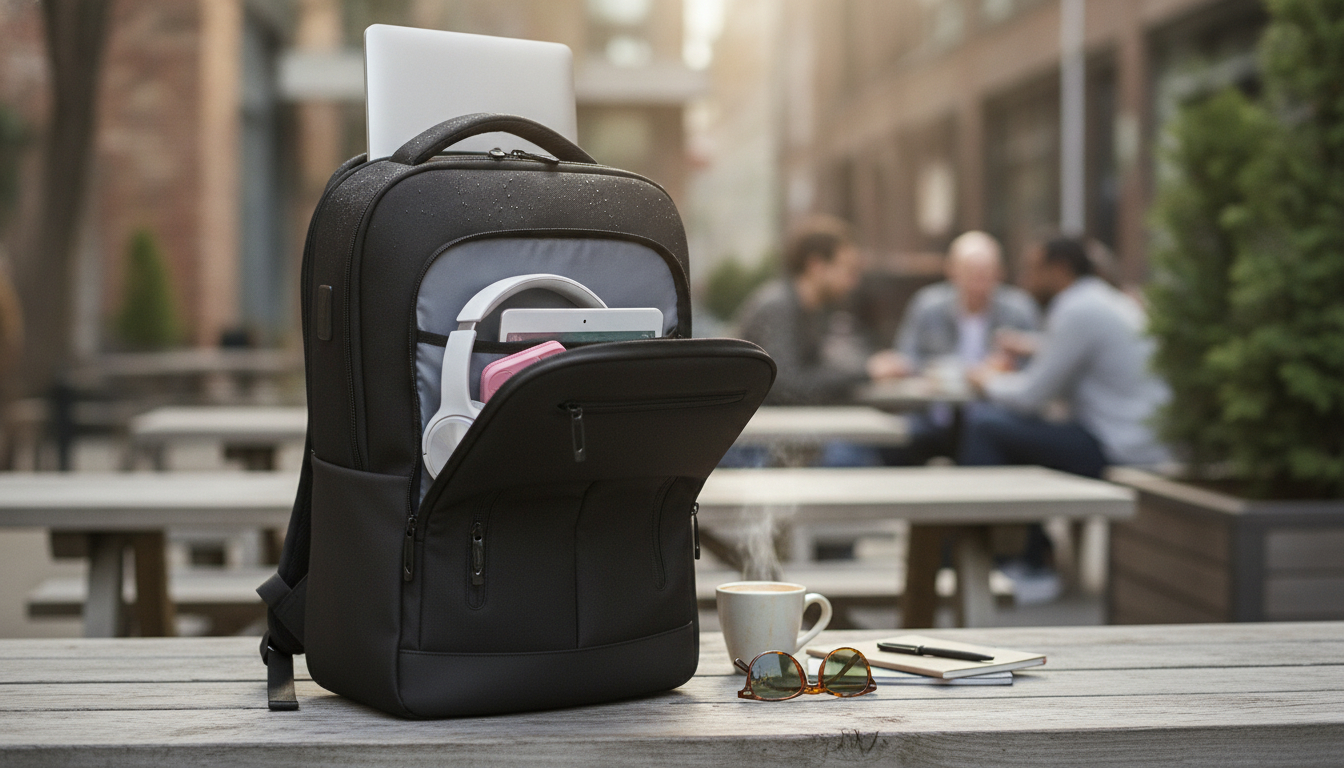
Waterproof 17″ Travel & Business Laptop Backpack with Multi-Pocket Design
A travel-ready work backpack should protect a larger laptop, keep essentials easy to reach, and stay comfortable during long commutes or airport days. This waterproof 17″ laptop backpack pairs a multi-pocket layout with travel-friendly organization so devices, documents, and daily carry items stay separated, secure, and quick to find.
Who This Backpack Fits Best
- Business travel and conferences: Dedicated space for a laptop, paperwork, and chargers without rummaging when you’re moving between sessions.
- Students with larger laptops: Room for a 17″ device plus books, notebooks, and day-to-day accessories.
- Commuters: Multi-pocket organization for quick access to keys, a transit pass, earbuds, and a power bank.
- Weekend trips: Structured compartments to separate tech from toiletries and a change of clothes.
Multi-Pocket Layout That Keeps Gear Sorted
When a backpack is built around a larger laptop compartment, the biggest win is separation. A laptop compartment sized for up to a 17″ device helps keep your computer isolated from bulkier items that can press, bend, or rub during travel. With multiple pockets and zones, you can keep hard accessories (chargers, adapters, pens, portable drives) away from your laptop’s surface to reduce scuffs and pressure points.
A multi-pocket setup also supports consistent routines. Assign “homes” for the items you always carry—cables in one pocket, documents in another, personal items in a quick-access pocket—so you spend less time searching and more time moving efficiently through commutes, terminals, or campus buildings.
Pocket Planning Cheat Sheet
| Pocket/Zone | Best For | Why It Helps |
|---|---|---|
| Laptop compartment | 17″ laptop, slim sleeve | Reduces pressure and abrasion from other items |
| Main compartment | Headphones, notebook, light jacket | Keeps bulky items centralized and balanced |
| Organizer pocket | Chargers, mouse, adapters, pens | Prevents cable tangles and small-item loss |
| Quick-access pocket | Phone, passport, keys, sanitizer | Fast reach while standing in lines or commuting |
| Side pocket(s) | Water bottle or compact umbrella | Keeps moisture-prone items away from electronics |
Waterproof Protection for Unpredictable Days
Weather rarely lines up with your schedule. A waterproof outer material helps shield electronics and documents from rain, accidental spills, and wet surfaces—especially useful during door-to-door travel that includes curbside pickups, platform waits, and walking between terminals or parking garages.
It’s still smart to manage exposure in heavier storms. If you routinely commute in downpours, an optional rain cover can add extra protection around zippers and seams, where wind-driven rain is most likely to push through.
Comfort and Carry: Built for Long Hours
Carrying a larger laptop all day is easier in a backpack format because weight is distributed across both shoulders rather than pulling from one side like a single-strap bag. Comfort improves even more with a simple packing strategy:
For fit and adjustment basics, REI’s backpack fit guidance is a helpful reference for dialing in strap length and load positioning: How to Fit and Adjust a Backpack.
Travel Use Cases: From Checkpoints to Day Meetings
- Airport security: Keeping your laptop in a dedicated compartment makes it easier to remove if screening requires it. TSA notes that laptops typically need to be placed in a bin during screening in many lanes: TSA — Traveling with Laptops.
- Hotel-to-meeting transitions: Separate compartments help you switch from “travel mode” (chargers, toiletries) to “meeting mode” (documents, notebook) without dumping everything out.
- Transit commuting: Quick-access storage supports tap-and-go cards, earbuds, and small valuables while you’re standing or walking.
- Day trips: Organized pockets help keep a camera, snacks, and a light layer separated from tech, so you’re not stacking everything against your laptop.
If you fly often, it’s also worth checking your airline’s carry-on size rules before a trip. Guidelines can vary, and IATA offers an overview of baggage considerations: IATA — Cabin Baggage Guidelines.
What to Check Before Buying
At-a-Glance Specs and Fit Checks
| Item to Verify | Target | How to Measure/Confirm |
|---|---|---|
| Laptop compatibility | Up to 17″ | Check device diagonal and thickness; add sleeve thickness if used |
| Organization needs | Multi-pocket design | List daily items and assign each to a pocket/zone |
| Weather exposure | Waterproof exterior | Consider typical commute conditions and spill risk |
| Carry comfort | Stable weight distribution | Pack heavier items close to the back panel |
Care and Cleaning for Waterproof Bags
In-Stock Picks to Consider
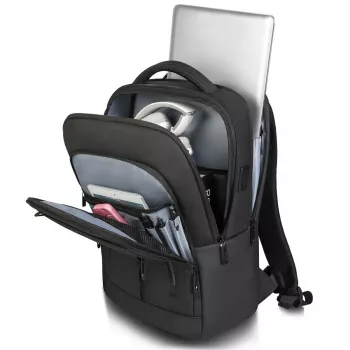
- Waterproof 17″ Travel & Business Laptop Backpack with Multi-Pocket Design $159.01
- USB Rechargeable Super Bright Bike Headlight & Taillight Set $29.51 (useful for early/late commutes)
- Dream Spaces with AI | Digital Guide for Home Design Inspiration $6.99 (a quick-read download for planning and visualization)
FAQ
Will a 17″ laptop fit comfortably with a charger and accessories?
Confirm your laptop’s diagonal and thickness first (and add sleeve thickness if you use one). A 17″-rated compartment should handle the device, while the multi-pocket layout helps keep the charger, mouse, and cables separated so they don’t press into the laptop.
Is waterproof the same as fully submersible protection?
No—waterproof materials help resist rain and splashes, but prolonged submersion or water forced through seams and zippers can still get inside. In heavy storms, minimize exposure time and consider using an additional rain cover for extra protection.
How should the pockets be used for better comfort?
Place heavier items like the laptop and power bank closest to the back panel, and keep lighter items outward to reduce pull and sway. Use quick-access pockets for essentials so you’re not repeatedly digging into the main compartment and shifting the load.
Recommended for you
Was this article helpful?
Yes
No









Leave a comment